
AI DevOps engineer that generates CI and deploys to Kubernetes with HTTPS.
GhostCMD connects to your repository, generates CI pipelines, prepares Docker & Helm via AI Doctor, and deploys your app into a managed Kubernetes cluster with automatic TLS, scaling and live logs.
- CI-ready in one command
- Use
ci gen ...to generate CI pipelines tailored to your stack. - Secure multi-tenant cluster
- Each project is isolated with its own HTTPS subdomain and image pipeline.
ghostcmd> deploy
✓ Cloned repo from GitHub
✓ Generated CI pipelines (.yml) for your stack
✓ Generated Dockerfile & Helm chart via AI Doctor
✓ Built image and pushed to registry
✓ Applied release proj-7 in ghostcmd-apps
→ Live at https://proj-7.apps.ghostcmd.com
From repo URL to running cluster in one flow.
GhostCMD glues together CI, Docker, Helm and Kubernetes so you don't have to. Keep your favorite editor; we handle the boring DevOps part.
AI-generated CI
GhostCLI inspects your repo and generates CI configs for GitHub Actions, GitLab CI or Jenkins – tests, coverage, docker build and more.
AI Doctor for deploys
We create or fix Dockerfile and Helm charts, wire imagePullSecrets and TLS, and verify your app is deploy-ready.
Managed k8s cluster
Your app runs in a shared but isolated Kubernetes cluster with auto TLS and per-project HTTPS subdomains.
Safe by default
Users can't push arbitrary images – everything goes through GhostCMD's pipeline and registry.
Cluster overview
Dashboard shows your deployments, replicas and live pods across the cluster – all in one place.
Scale in one click
Adjust replicas from the UI or via API. We cap sensible limits, so you can't accidentally nuke the cluster.
Product screenshots.
A quick look at the GhostCMD cloud dashboard – projects, deploys, cluster overview, Console and the commands library.
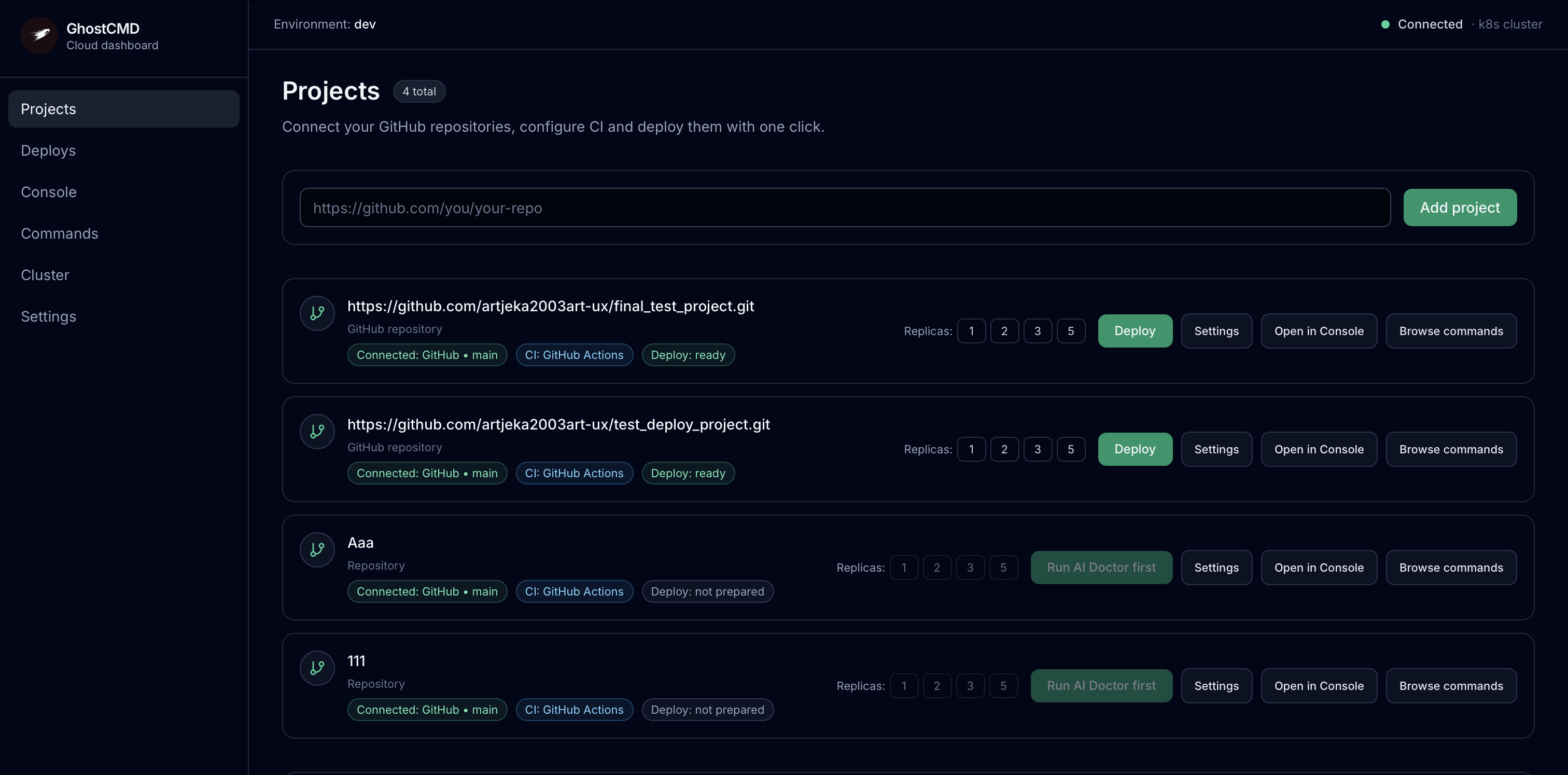
Connect multiple GitHub repositories, see CI status and deploy readiness at a glance.
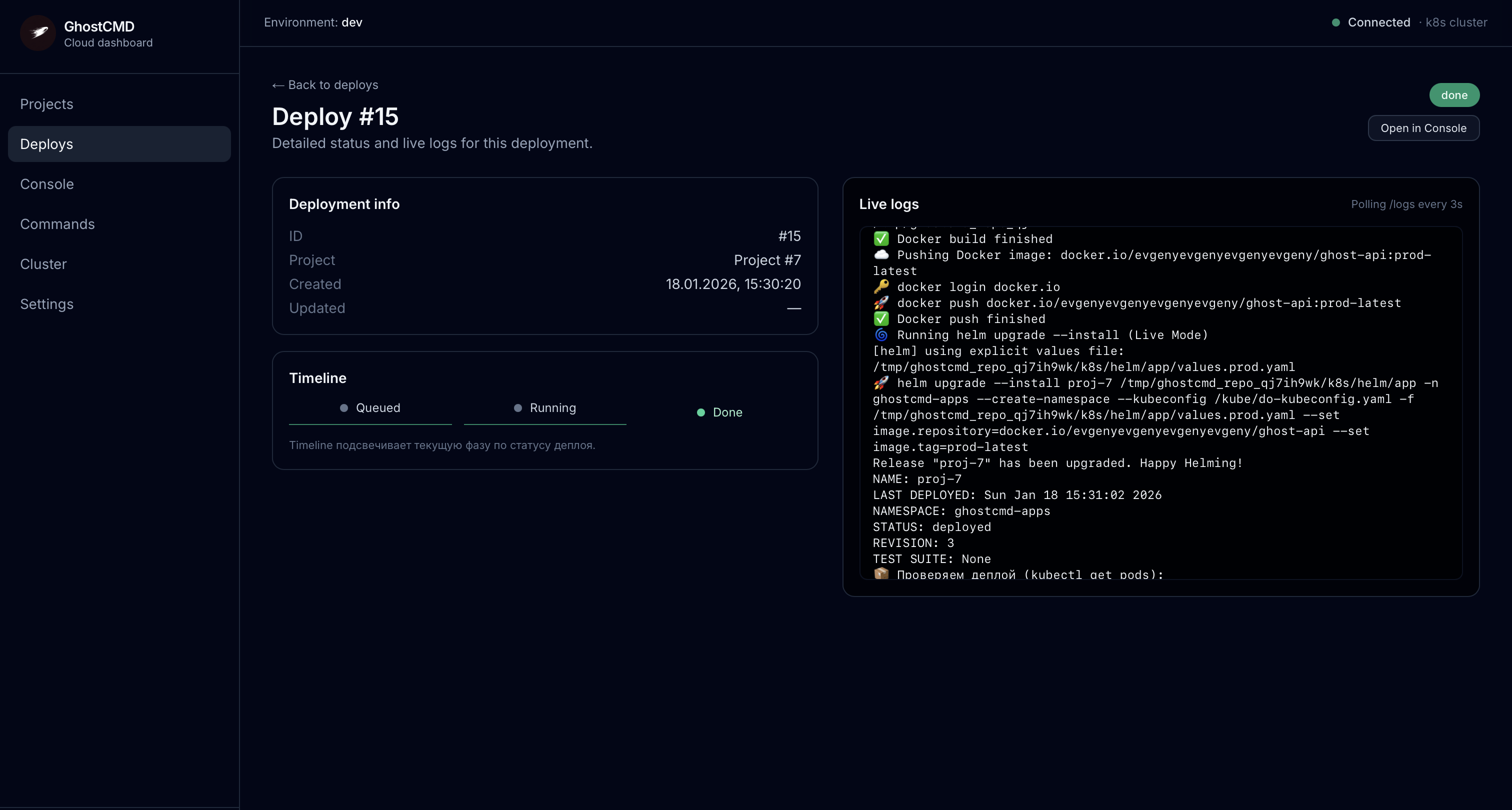
Follow the full deploy timeline – from image build to Helm upgrade – with streaming logs.
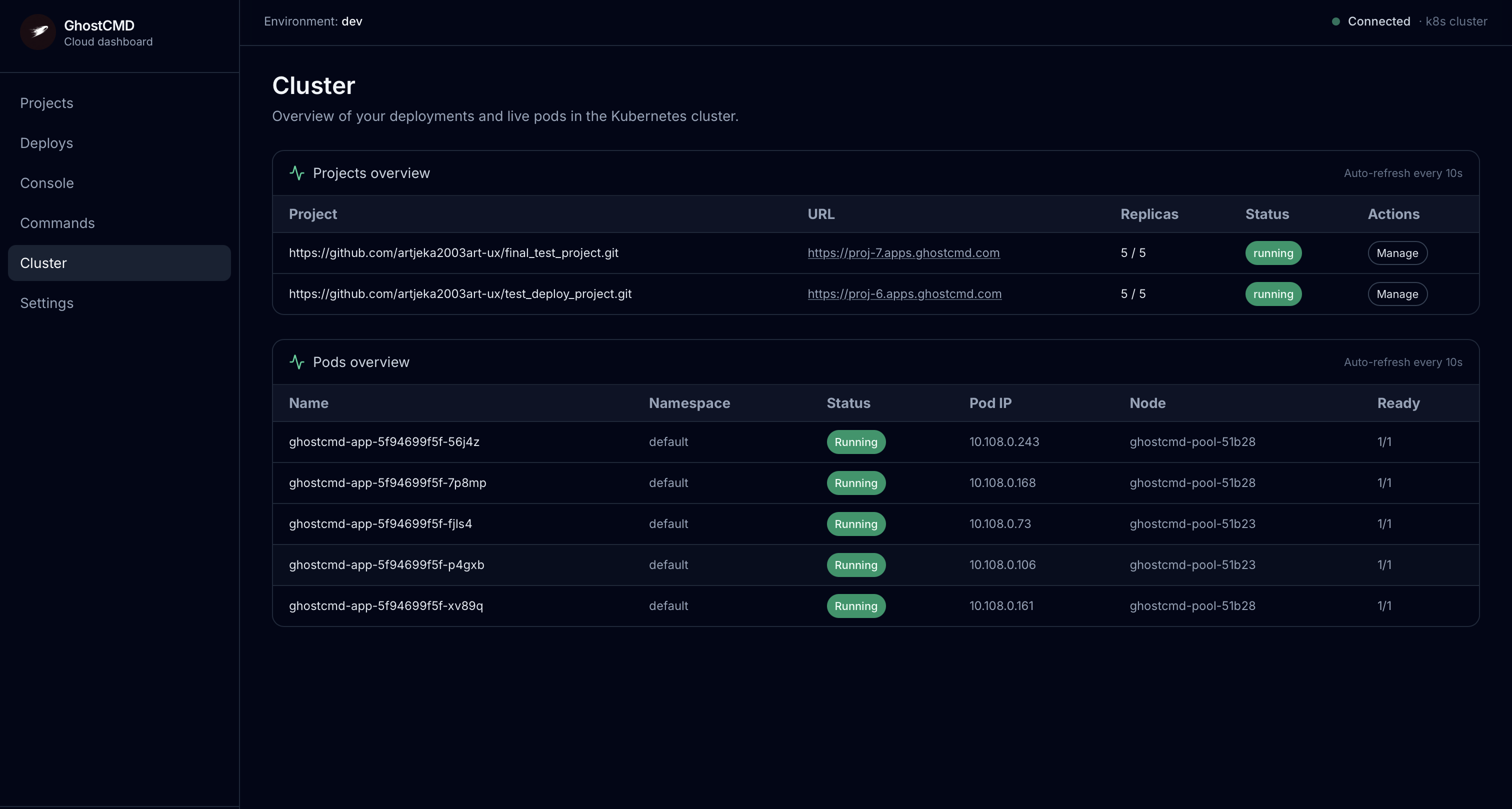
Overview of deployments and live pods running in the managed Kubernetes cluster.
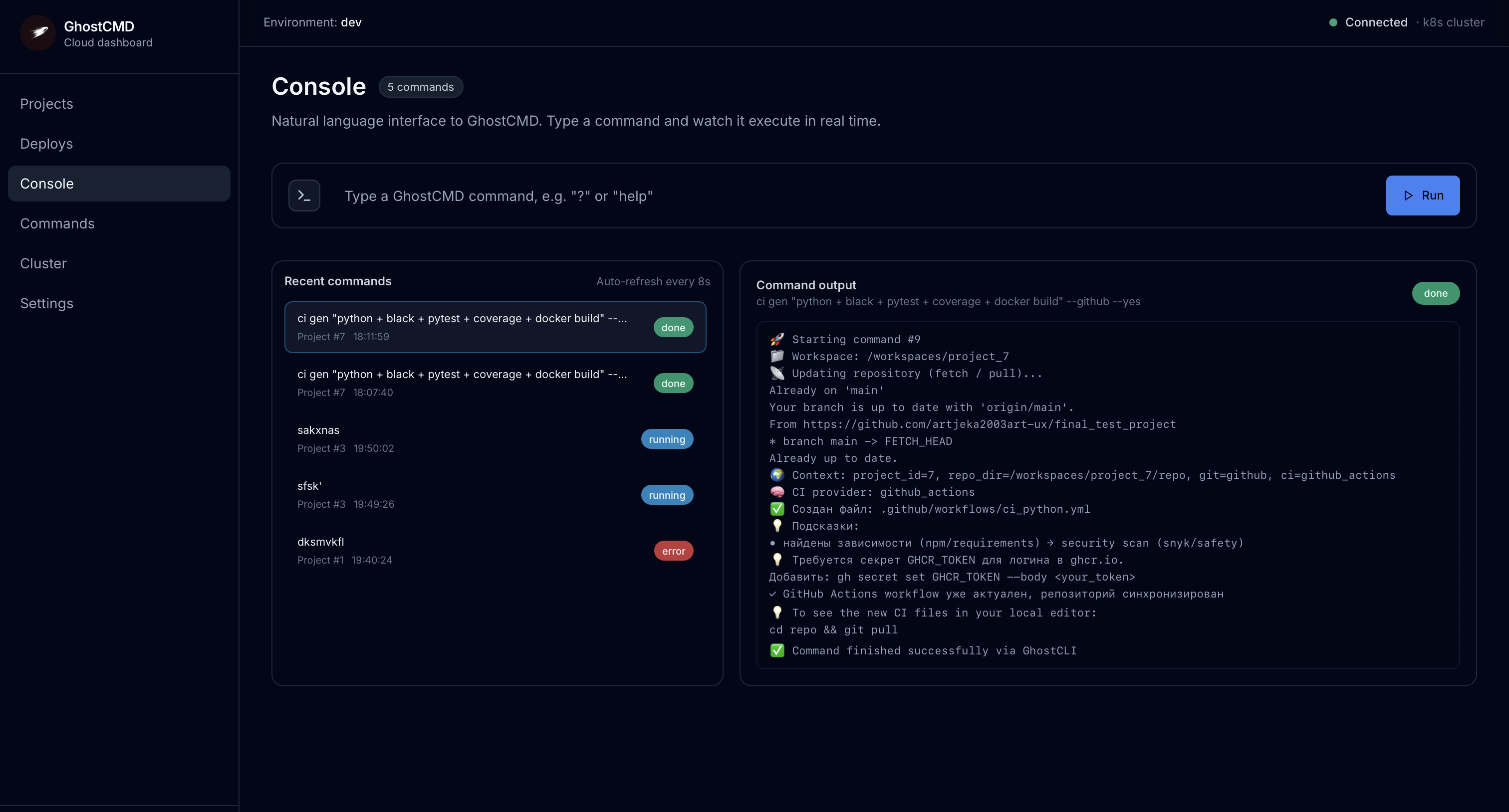
Run GhostCMD commands like ci gen, kubectl diagnostics and more, and watch output in real time.
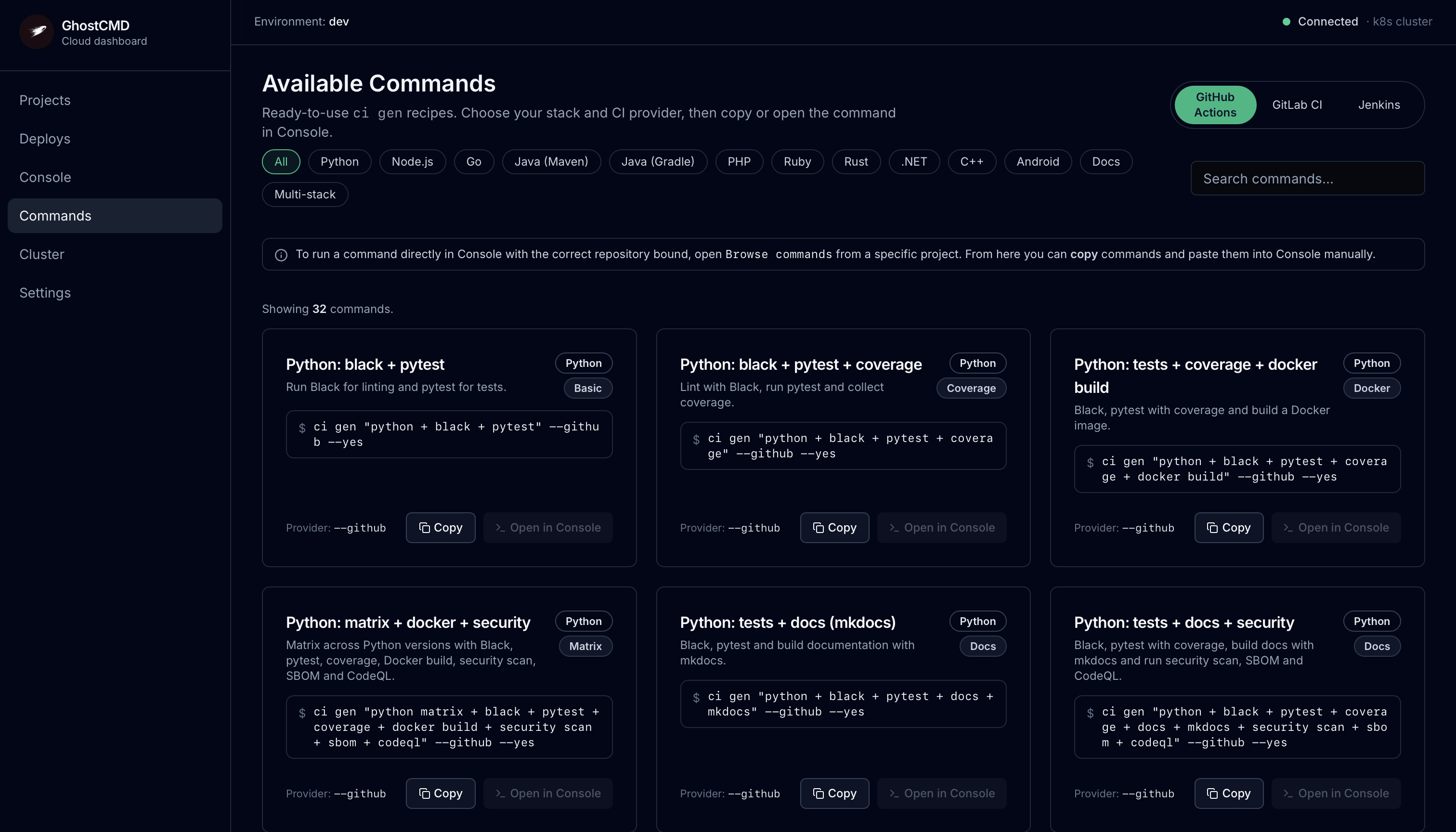
A library of ready-to-use CI recipes across stacks – copy or run them directly in Console.
Watch a 2.5 minute GhostCMD demo.
A live walkthrough of how GhostCMD connects to your GitHub repo, generates CI, runs AI Doctor and deploys to the managed Kubernetes cluster with HTTPS.
How GhostCMD fits into your workflow.
No new IDE, no drag-and-drop builder. Just your repo, GhostCLI on your machine and GhostCMD Cloud running the heavy DevOps tasks.
- Step 1
Connect your repo
Point GhostCMD to your GitHub repository and paste a fine-grained or classic PAT.
- Step 2
Generate CI pipelines
Use GhostCLI to generate CI configs for GitHub Actions, GitLab CI or Jenkins – tailored to your stack.
- Step 3
Run AI Doctor
GhostCMD analyzes your project, generates Dockerfile + Helm and prepares it for deploy.
- Step 4
Deploy & get HTTPS URL
We build the image, push to registry and apply a Helm release in our k8s cluster.
- Step 5
Scale & observe
Use the dashboard to scale replicas, inspect pods and watch logs – all in one place.
Built for people who ship, not for people who babysit clusters.
GhostCMD is opinionated on purpose: one shared cluster, sensible limits, simple flows. It's not a blank-slate platform; it's a productive path from repo to URL.
Indie hackers
You ship solo and don't want to become a full-time DevOps just to get HTTPS URLs for your side-projects.
Early-stage startups
You have a small team shipping product. GhostCMD gives you a simple cluster + CI layer until you hire a platform team.
Internal tools & demos
Spin up internal dashboards, admin panels or demo APIs without touching Terraform, Ingress manifests or cert-manager configs.
Ready to see GhostCMD in action?
The platform is free while in beta. Connect a repo, run AI Doctor, deploy to our cluster.
Stay in touch: X · Discord · LinkedIn · Telegram @EvgenyEvgenyEvgenyEvgeny.